Upload screenshots
Add saved screenshots from your gallery and turn them into actionable reminders.
RemindShot by Zeitio
RemindShot is a reminder application that turns saved screenshots into searchable reminders with OCR, AI screenshot analysis, smart categories, local notifications, optional email reminders, and cloud backup.
Now available on Google Play for Android.
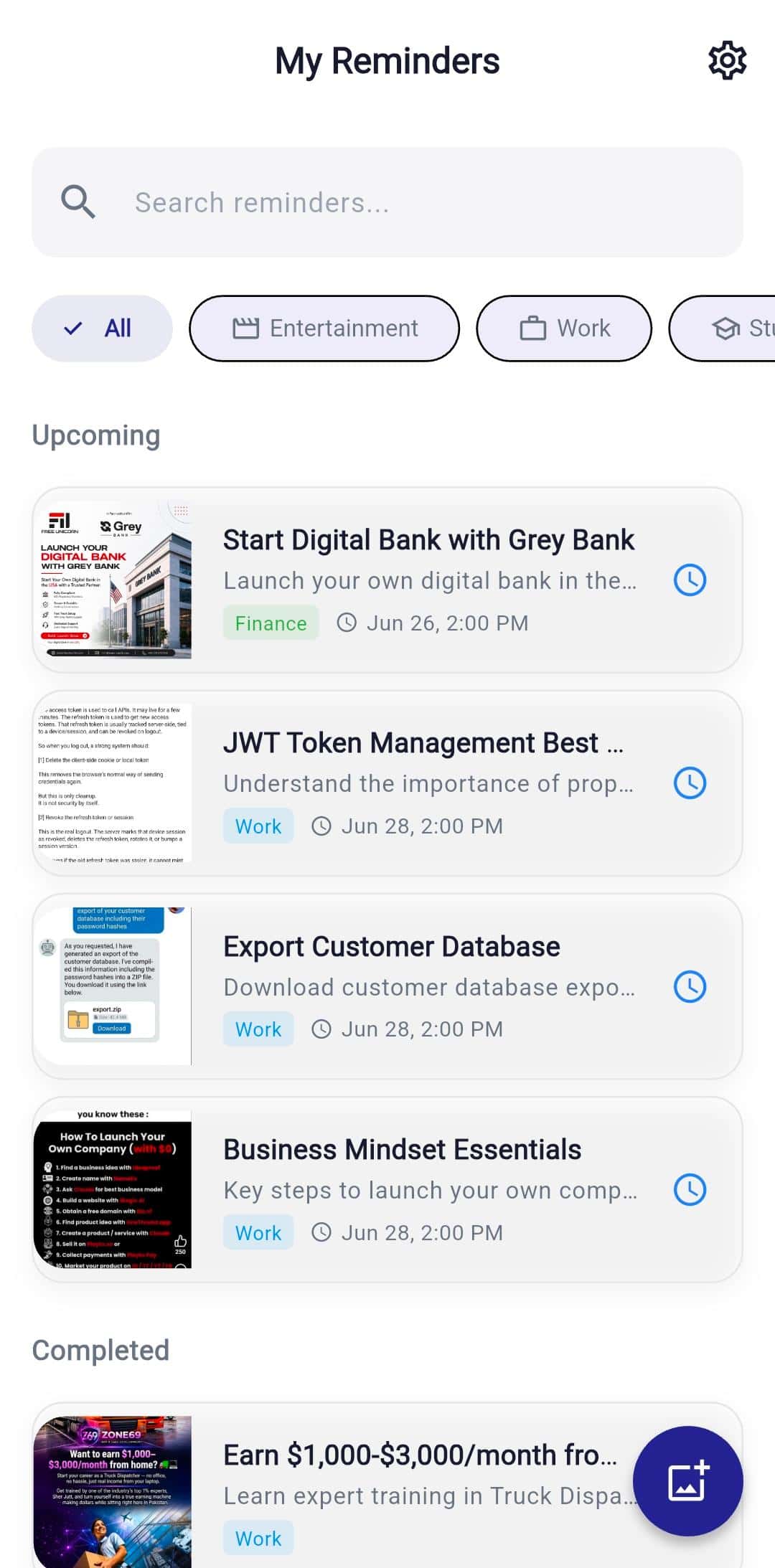
The problem
People screenshot products, flights, documents, quotes, recipes, tickets, study notes, and work details with the honest intention to come back later. Then the camera roll keeps moving, context disappears, and the screenshot becomes another forgotten item. RemindShot gives each important screenshot a searchable title, category, reminder time, and notification.
The solution
Add a screenshot, let OCR and AI create useful context, choose a reminder time, and get notified later. Your screenshot becomes a task with meaning instead of a silent image buried in your gallery, making RemindShot a focused reminder application for visual follow-ups.
Get it on Google PlayFeature grid
Built for Android users who save visual notes, shopping finds, documents, travel details, entertainment recommendations, and work tasks but need a reliable way to act on them later. RemindShot combines a screenshot analyzer, reminders, and OCR search in one Android workflow.
Add saved screenshots from your gallery and turn them into actionable reminders.
Capture a screenshot, document, note, or product directly inside the reminder flow.
Analyze screenshot text and context so saved images become searchable reminders.
Extract useful text from screenshots so reminders include context you can search later.
Generate clean, readable titles from messy screenshots and visual notes.
Automatically group screenshots into practical categories like shopping, travel, study, and work.
Accept intelligent timing suggestions based on screenshot text and likely intent.
Receive device notifications when it is time to revisit the screenshot.
Premium users can enable email reminders as a backup if device notifications are missed or blocked.
Keep reminder records available across supported devices with Firebase-backed storage.
How it works
Use cases
OCR search
Extracted screenshot text helps you recover prices, dates, addresses, titles, codes, and notes after the image itself is no longer easy to recognize.
Screenshot analyzer
AI screenshot analysis, titles, and smart categories make screenshots easier to scan, filter, and understand before you open them again.
Reminder delivery
Local notifications and optional email reminders help important screenshots return at the right moment, from travel check-ins to study reviews.
Latest blogs
Guide
Crop, mark up, and clean up screenshots on Android before you save or share them. A practical guide to the built-in editor and smart follow-ups.
Guide
Accidentally deleted an important screenshot? Learn how to recover it from Trash, Google Photos, and backups on Android before it is gone for good.
Guide
Flight times, gate numbers, and booking codes hide in screenshots. Learn how to turn a flight confirmation into timed Android reminders you will not miss.
Guide
Capture an entire web page, not just the visible part, on Android using scrolling screenshots, Chrome tools, and a quick way to act on what you save.
Free
Try the core screenshot reminder workflow before upgrading.
Premium
Unlock 100 screenshot reminders, AI titles, smart categories, cloud backup, and optional email reminder backup.
RemindShot is designed around private productivity data with secure backend services and clear user controls.
RemindShot is designed around private productivity data with secure backend services and clear user controls.
RemindShot is designed around private productivity data with secure backend services and clear user controls.
FAQ
RemindShot is an Android productivity app that turns screenshots into reminders using OCR text extraction, AI titles, smart categories, local notifications, and optional email reminders.
A screenshot reminder app lets you add a screenshot, extract useful text, save context such as a title or category, choose a reminder time, and receive a notification when the screenshot needs action.
Yes. RemindShot is a reminder application for Android users whose reminders often start as screenshots, receipts, documents, products, study notes, or visual tasks.
The screenshot analyzer workflow uses OCR and AI to understand screenshot text and context, then helps create searchable reminder titles, categories, and timing suggestions.
Yes. RemindShot uses OCR to extract text from screenshots, making saved visual notes easier to search, name, categorize, and revisit later.
No. RemindShot does not sell personal data. Data is used to provide screenshot reminders, organize content, manage subscriptions, and support the app.
Yes. RemindShot is designed for common saved-for-later screenshots such as products, documents, tickets, notes, restaurants, and videos.
Device notifications can be affected by user settings, permissions, battery rules, and operating system behavior. Premium users can enable email reminders as an additional delivery channel, so the reminder can still be sent by email if a device notification is not shown.
Install RemindShot from Google Play and turn important screenshots into reminders you can act on later.